About AsInt IntelliSuite
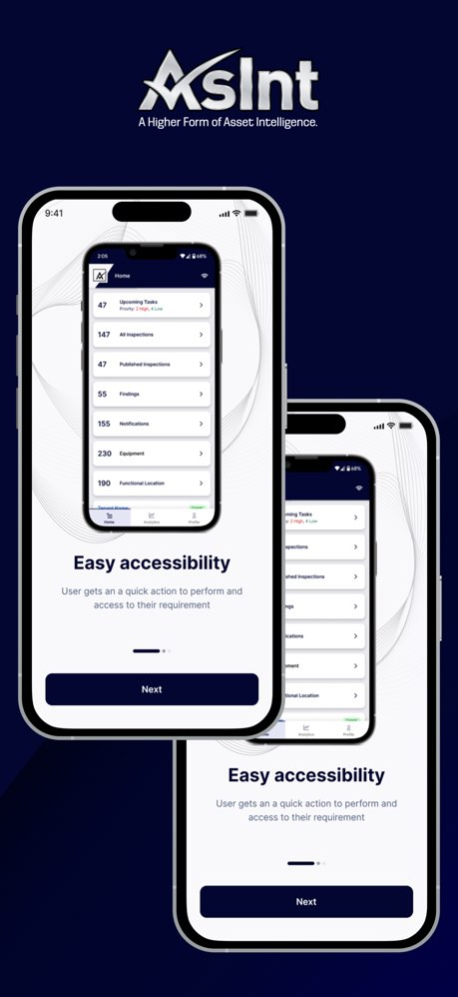
AsInt IntelliSuite is a powerful tool designed to help you manage asset inspections with ease, right from your smartphone. Whether you're conducting inspections for equipment or functional locations, this app puts all the...
AsInt IntelliSuite is a powerful tool designed to help you manage asset inspections with ease, right from your smartphone. Whether you're conducting inspections for equipment or functional locations, this app puts all the essential tools you need at your fingertips, ensuring real-time access to critical data-even when offline. Seamlessly integrated with the Fiori application, AsInt IntelliSuite keeps your inspection data consistent across platforms, helping you stay organized, efficient, and informed wherever you are. Key Features: 1. Perform inspections on equipment and functional locations with ease. 2. Manage published and unpublished inspections for better workflow control. 3. Access general information, attachments, and structural data of assets. View findings and notifications directly within the app. 4. Work offline and sync data when you’re back online. 5. Upload and manage documents, including attaching photos directly from your camera. 6. Switch between multiple organizations if registered with more than one tenant. With AsInt IntelliSuite, you can perform and manage asset inspections on the go, making your workflow more efficient and ensuring consistent data across all your platforms. Download now and take control of your inspections!
Version History What's New - Wireless UT Device Support: Capture thickness measurements directly from supported wireless UT devices. - AI for Asset Inspection: Get AI-powered findings and notification suggestions. - Observations: Record observations alongside findings for improved inspection tracking. - Enhanced Recommendations: Review and manage inspection recommendations more easily. - Performance Improvements: Faster performance, UI enhancements, and bug fixes. 7.2.1 Aug 6 What's New - Wireless UT Device Support: Capture thickness measurements directly from supported wireless UT devices. - AI for Asset Inspection: Get AI-powered findings and notification suggestions. - Observations: Record observations alongside findings for improved inspection tracking. - Enhanced Recommendations: Review and manage inspection recommendations more easily. - Performance Improvements: Faster performance, UI enhancements, and bug fixes. 7.2.0 Jul 17 What's New - AI Assistant Chatbot enhancements. - AI Equipment Suggestions. - Smart View for Equipment, Findings, and Inspection. - Guided Demo Mode with an integrated Demo Booking flow. - Simplified attachment upload during Findings creation. - Added a new Thickness field for Findings. - Performance enhancements and stability improvements. - General bug fixes. 7.1.0 Jul 2 What’s New · Easier inspection creation flow · Refresh offline datasets with the latest changes · Locate findings near you on the map · IntelliEdit enhancements · Advanced filters · UI/UX enhancements · Stability fixes 7.0.2 Jun 5 What’s New · Easier inspection creation flow · Refresh offline datasets with the latest changes · Locate findings near you on the map · IntelliEdit enhancements · Advanced filters · UI/UX enhancements · Stability fixes 7.0.1 Jun 2 What’s New · Easier inspection creation flow · Refresh offline datasets with the latest changes · Locate findings near you on the map · IntelliEdit enhancements · Advanced filters · UI/UX enhancements · Stability fixes 7.0.0 May 31 - Clearer data synchronization across inspections, equipment, and findings. - Faster background sync with the backend. - Download multiple inspections, findings, equipment, or locations—and choose what to download. Improved app performance for smoother use. - Enhanced IntelliEdit capabilities - AI damage detection (API 571) now in the mobile app. - Automatic unit of measure based on region. - AI text summarization for inspection notes. - Track history for recommendations and findings. - Geolocation validation for governance. - Bug fixes. 6.0.1 Apr 28 - Clearer data synchronization across inspections, equipment, and findings. - Faster background sync with the backend. - Download multiple inspections, findings, equipment, or locations—and choose what to download. Improved app performance for smoother use. - Enhanced IntelliEdit capabilities - AI damage detection (API 571) now in the mobile app. - Automatic unit of measure based on region. - AI text summarization for inspection notes. - Track history for recommendations and findings. - Geolocation validation for governance. 6.0.0 Mar 13 **What’s New** - Enhanced overall platform stability and reliability for enterprise-scale usage - Improved global usability to support multi-region deployments - Better alignment with external systems for smoother operational workflows - More efficient handling and organisation of large datasets - Performance optimisations for faster response and improved consistency - Increased robustness through strengthened error handling and recovery mechanisms 5.0.0 Jan 15 **What’s New** - AsInt AI: Chatbot, image damage detection, and U1 form + Excel analysis. - Image Markups with data & Markup Viewer. - Multi-language support added. - Improved UI/UX for smoother experience. - Performance enhancements and bug fixes. 4.0.2 11/14/2025 **What’s New** - AsInt AI: Chatbot, image damage detection, and U1 form + Excel analysis. - Image Markups with data & Markup Viewer. - Multi-language support added. - Improved UI/UX for smoother experience. - Performance enhancements and bug fixes. 4.0.1 11/08/2025 **What’s New** - AsInt AI: Chatbot, image damage detection, and U1 form + Excel analysis. - Image Markups with data & Markup Viewer. - Multi-language support added. - Improved UI/UX for smoother experience. - Performance enhancements and bug fixes. 4.0.0 11/02/2025 What’s New – AsInt IntelliSuite 3.0.2 -Data Logger device interface via Bluetooth -Enhanced IDP login -Inspection filters -Selective offline download capability -Delete offline stored data -Detailed onboarding screens -In-app user guide -Enhanced Findings creation -Recommendation management -Security enhancements -UX enhancements -Bug fixes and performance improvements 3.0.2 09/12/2025 What’s New – AsInt IntelliSuite 3.0.1 -Data Logger device interface via Bluetooth -Enhanced IDP login -Inspection filters -Selective offline download capability -Delete offline stored data -Detailed onboarding screens -In-app user guide -Enhanced Findings creation -Recommendation management -Security enhancements -UX enhancements -Bug fixes and performance improvements 3.0.1 09/04/2025 What’s New – AsInt IntelliSuite 3.0.0 -Data Logger device interface via Bluetooth -Enhanced IDP login -Inspection filters -Selective offline download capability -Delete offline stored data -Detailed onboarding screens -In-app user guide -Enhanced Findings creation -Recommendation management -Security enhancements -UX enhancements -Bug fixes and performance improvements 3.0.0 08/04/2025 What's New -Offline app capability -Upload documents for Inspection & Findings with edit capability (Images & PDF) -Create Recommendations from Finding -Geotagging on Finding -Bug Fixes and Performance Improvements 2.1.1 05/07/2025 What's New -Offline app capability -Upload documents for Inspection & Findings with edit capability (Images & PDF) -Create Recommendations from Finding -Geotagging on Finding -Bug Fixes and Performance Improvements 1.3.0 04/25/2025 Exciting Updates in AsInt IntelliSuite: Enhancing Efficiency and User Experience We are thrilled to announce the latest update to AsInt IntelliSuite, bringing a Lots of new features listed below -Add CML -Create Finding From Inspection -Select Image while creating the Inspection report -Create Notification -Auto Syncing -Role Based hide and show the feature -Image Editing -Biometrics Login 1.2 02/24/2025 Bugs fixes and improvments 1.1 12/06/2024 1.0 10/09/2024
Previous Versions
Here you can find the changelog of AsInt IntelliSuite since it was posted on our website on 2026-01-25 02:32:36.
The latest version is 7.2.1 and it was updated on 2026-10-07 09:13:03. See below the changes in each version.
AsInt IntelliSuite version 7.2.1
Updated At: 2026-10-06
Changes: Version History What's New
- Wireless UT Device Support: Capture thickness measurements directly from supported wireless UT devices.
- AI for Asset Inspection: Get AI-powered findings and notification suggestions.
- Observations: Record observations alongside findings for improved inspection tracking.
- Enhanced Recommendations: Review and manage inspection recommendations more easily.
- Performance Improvements: Faster performance, UI enhancements, and bug fixes. 7.2.1 Aug 6 What's New
- Wireless UT Device Support: Capture thickness measurements directly from supported wireless UT devices.
- AI for Asset Inspection: Get AI-powered findings and notification suggestions.
- Observations: Record observations alongside findings for improved inspection tracking.
- Enhanced Recommendations: Review and manage inspection recommendations more easily.
- Performance Improvements: Faster performance, UI enhancements, and bug fixes. 7.2.0 Jul 17 What's New
- AI Assistant Chatbot enhancements.
- AI Equipment Suggestions.
- Smart View for Equipment, Findings, and Inspection.
- Guided Demo Mode with an integrated Demo Booking flow.
- Simplified attachment upload during Findings creation.
- Added a new Thickness field for Findings.
- Performance enhancements and stability improvements.
- General bug fixes. 7.1.0 Jul 2 What’s New
· Easier inspection creation flow
· Refresh offline datasets with the latest changes
· Locate findings near you on the map
· IntelliEdit enhancements
· Advanced filters
· UI/UX enhancements
· Stability fixes 7.0.2 Jun 5 What’s New
· Easier inspection creation flow
· Refresh offline datasets with the latest changes
· Locate findings near you on the map
· IntelliEdit enhancements
· Advanced filters
· UI/UX enhancements
· Stability fixes 7.0.1 Jun 2 What’s New
· Easier inspection creation flow
· Refresh offline datasets with the latest changes
· Locate findings near you on the map
· IntelliEdit enhancements
· Advanced filters
· UI/UX enhancements
· Stability fixes 7.0.0 May 31 - Clearer data synchronization across inspections, equipment, and findings.
- Faster background sync with the backend.
- Download multiple inspections, findings, equipment, or locations—and choose what to download.
Improved app performance for smoother use.
- Enhanced IntelliEdit capabilities
- AI damage detection (API 571) now in the mobile app.
- Automatic unit of measure based on region.
- AI text summarization for inspection notes.
- Track history for recommendations and findings.
- Geolocation validation for governance.
- Bug fixes. 6.0.1 Apr 28 - Clearer data synchronization across inspections, equipment, and findings.
- Faster background sync with the backend.
- Download multiple inspections, findings, equipment, or locations—and choose what to download.
Improved app performance for smoother use.
- Enhanced IntelliEdit capabilities
- AI damage detection (API 571) now in the mobile app.
- Automatic unit of measure based on region.
- AI text summarization for inspection notes.
- Track history for recommendations and findings.
- Geolocation validation for governance. 6.0.0 Mar 13 **What’s New**
- Enhanced overall platform stability and reliability for enterprise-scale usage
- Improved global usability to support multi-region deployments
- Better alignment with external systems for smoother operational workflows
- More efficient handling and organisation of large datasets
- Performance optimisations for faster response and improved consistency
- Increased robustness through strengthened error handling and recovery mechanisms 5.0.0 Jan 15 **What’s New**
- AsInt AI: Chatbot, image damage detection, and U1 form + Excel analysis.
- Image Markups with data & Markup Viewer.
- Multi-language support added.
- Improved UI/UX for smoother experience.
- Performance enhancements and bug fixes. 4.0.2 11/14/2025 **What’s New**
- AsInt AI: Chatbot, image damage detection, and U1 form + Excel analysis.
- Image Markups with data & Markup Viewer.
- Multi-language support added.
- Improved UI/UX for smoother experience.
- Performance enhancements and bug fixes. 4.0.1 11/08/2025 **What’s New**
- AsInt AI: Chatbot, image damage detection, and U1 form + Excel analysis.
- Image Markups with data & Markup Viewer.
- Multi-language support added.
- Improved UI/UX for smoother experience.
- Performance enhancements and bug fixes. 4.0.0 11/02/2025 What’s New – AsInt IntelliSuite 3.0.2
-Data Logger device interface via Bluetooth
-Enhanced IDP login
-Inspection filters
-Selective offline download capability
-Delete offline stored data
-Detailed onboarding screens
-In-app user guide
-Enhanced Findings creation
-Recommendation management
-Security enhancements
-UX enhancements
-Bug fixes and performance improvements 3.0.2 09/12/2025 What’s New – AsInt IntelliSuite 3.0.1
-Data Logger device interface via Bluetooth
-Enhanced IDP login
-Inspection filters
-Selective offline download capability
-Delete offline stored data
-Detailed onboarding screens
-In-app user guide
-Enhanced Findings creation
-Recommendation management
-Security enhancements
-UX enhancements
-Bug fixes and performance improvements 3.0.1 09/04/2025 What’s New – AsInt IntelliSuite 3.0.0
-Data Logger device interface via Bluetooth
-Enhanced IDP login
-Inspection filters
-Selective offline download capability
-Delete offline stored data
-Detailed onboarding screens
-In-app user guide
-Enhanced Findings creation
-Recommendation management
-Security enhancements
-UX enhancements
-Bug fixes and performance improvements 3.0.0 08/04/2025 What's New
-Offline app capability
-Upload documents for Inspection & Findings with edit capability (Images & PDF)
-Create Recommendations from Finding
-Geotagging on Finding
-Bug Fixes and Performance Improvements 2.1.1 05/07/2025 What's New
-Offline app capability
-Upload documents for Inspection & Findings with edit capability (Images & PDF)
-Create Recommendations from Finding
-Geotagging on Finding
-Bug Fixes and Performance Improvements 1.3.0 04/25/2025 Exciting Updates in AsInt IntelliSuite: Enhancing Efficiency and User Experience
We are thrilled to announce the latest update to AsInt IntelliSuite, bringing a Lots of new features listed below
-Add CML
-Create Finding From Inspection
-Select Image while creating the Inspection report
-Create Notification
-Auto Syncing
-Role Based hide and show the feature
-Image Editing
-Biometrics Login 1.2 02/24/2025 Bugs fixes and improvments 1.1 12/06/2024 1.0 10/09/2024
AsInt IntelliSuite version 7.2.1
Updated At: 2026-08-08
Changes: Version History What's New
- Wireless UT Device Support: Capture thickness measurements directly from supported wireless UT devices.
- AI for Asset Inspection: Get AI-powered findings and notification suggestions.
- Observations: Record observations alongside findings for improved inspection tracking.
- Enhanced Recommendations: Review and manage inspection recommendations more easily.
- Performance Improvements: Faster performance, UI enhancements, and bug fixes. 7.2.1 1d ago What's New
- Wireless UT Device Support: Capture thickness measurements directly from supported wireless UT devices.
- AI for Asset Inspection: Get AI-powered findings and notification suggestions.
- Observations: Record observations alongside findings for improved inspection tracking.
- Enhanced Recommendations: Review and manage inspection recommendations more easily.
- Performance Improvements: Faster performance, UI enhancements, and bug fixes. 7.2.0 Jul 17 What's New
- AI Assistant Chatbot enhancements.
- AI Equipment Suggestions.
- Smart View for Equipment, Findings, and Inspection.
- Guided Demo Mode with an integrated Demo Booking flow.
- Simplified attachment upload during Findings creation.
- Added a new Thickness field for Findings.
- Performance enhancements and stability improvements.
- General bug fixes. 7.1.0 Jul 2 What’s New
· Easier inspection creation flow
· Refresh offline datasets with the latest changes
· Locate findings near you on the map
· IntelliEdit enhancements
· Advanced filters
· UI/UX enhancements
· Stability fixes 7.0.2 Jun 5 What’s New
· Easier inspection creation flow
· Refresh offline datasets with the latest changes
· Locate findings near you on the map
· IntelliEdit enhancements
· Advanced filters
· UI/UX enhancements
· Stability fixes 7.0.1 Jun 2 What’s New
· Easier inspection creation flow
· Refresh offline datasets with the latest changes
· Locate findings near you on the map
· IntelliEdit enhancements
· Advanced filters
· UI/UX enhancements
· Stability fixes 7.0.0 May 31 - Clearer data synchronization across inspections, equipment, and findings.
- Faster background sync with the backend.
- Download multiple inspections, findings, equipment, or locations—and choose what to download.
Improved app performance for smoother use.
- Enhanced IntelliEdit capabilities
- AI damage detection (API 571) now in the mobile app.
- Automatic unit of measure based on region.
- AI text summarization for inspection notes.
- Track history for recommendations and findings.
- Geolocation validation for governance.
- Bug fixes. 6.0.1 Apr 28 - Clearer data synchronization across inspections, equipment, and findings.
- Faster background sync with the backend.
- Download multiple inspections, findings, equipment, or locations—and choose what to download.
Improved app performance for smoother use.
- Enhanced IntelliEdit capabilities
- AI damage detection (API 571) now in the mobile app.
- Automatic unit of measure based on region.
- AI text summarization for inspection notes.
- Track history for recommendations and findings.
- Geolocation validation for governance. 6.0.0 Mar 13 **What’s New**
- Enhanced overall platform stability and reliability for enterprise-scale usage
- Improved global usability to support multi-region deployments
- Better alignment with external systems for smoother operational workflows
- More efficient handling and organisation of large datasets
- Performance optimisations for faster response and improved consistency
- Increased robustness through strengthened error handling and recovery mechanisms 5.0.0 Jan 15 **What’s New**
- AsInt AI: Chatbot, image damage detection, and U1 form + Excel analysis.
- Image Markups with data & Markup Viewer.
- Multi-language support added.
- Improved UI/UX for smoother experience.
- Performance enhancements and bug fixes. 4.0.2 11/14/2025 **What’s New**
- AsInt AI: Chatbot, image damage detection, and U1 form + Excel analysis.
- Image Markups with data & Markup Viewer.
- Multi-language support added.
- Improved UI/UX for smoother experience.
- Performance enhancements and bug fixes. 4.0.1 11/08/2025 **What’s New**
- AsInt AI: Chatbot, image damage detection, and U1 form + Excel analysis.
- Image Markups with data & Markup Viewer.
- Multi-language support added.
- Improved UI/UX for smoother experience.
- Performance enhancements and bug fixes. 4.0.0 11/02/2025 What’s New – AsInt IntelliSuite 3.0.2
-Data Logger device interface via Bluetooth
-Enhanced IDP login
-Inspection filters
-Selective offline download capability
-Delete offline stored data
-Detailed onboarding screens
-In-app user guide
-Enhanced Findings creation
-Recommendation management
-Security enhancements
-UX enhancements
-Bug fixes and performance improvements 3.0.2 09/12/2025 What’s New – AsInt IntelliSuite 3.0.1
-Data Logger device interface via Bluetooth
-Enhanced IDP login
-Inspection filters
-Selective offline download capability
-Delete offline stored data
-Detailed onboarding screens
-In-app user guide
-Enhanced Findings creation
-Recommendation management
-Security enhancements
-UX enhancements
-Bug fixes and performance improvements 3.0.1 09/04/2025 What’s New – AsInt IntelliSuite 3.0.0
-Data Logger device interface via Bluetooth
-Enhanced IDP login
-Inspection filters
-Selective offline download capability
-Delete offline stored data
-Detailed onboarding screens
-In-app user guide
-Enhanced Findings creation
-Recommendation management
-Security enhancements
-UX enhancements
-Bug fixes and performance improvements 3.0.0 08/04/2025 What's New
-Offline app capability
-Upload documents for Inspection & Findings with edit capability (Images & PDF)
-Create Recommendations from Finding
-Geotagging on Finding
-Bug Fixes and Performance Improvements 2.1.1 05/07/2025 What's New
-Offline app capability
-Upload documents for Inspection & Findings with edit capability (Images & PDF)
-Create Recommendations from Finding
-Geotagging on Finding
-Bug Fixes and Performance Improvements 1.3.0 04/25/2025 Exciting Updates in AsInt IntelliSuite: Enhancing Efficiency and User Experience
We are thrilled to announce the latest update to AsInt IntelliSuite, bringing a Lots of new features listed below
-Add CML
-Create Finding From Inspection
-Select Image while creating the Inspection report
-Create Notification
-Auto Syncing
-Role Based hide and show the feature
-Image Editing
-Biometrics Login 1.2 02/24/2025 Bugs fixes and improvments 1.1 12/06/2024 1.0 10/09/2024
AsInt IntelliSuite version 7.2.0
Updated At: 2026-07-23
Changes: Version History What's New
- Wireless UT Device Support: Capture thickness measurements directly from supported wireless UT devices.
- AI for Asset Inspection: Get AI-powered findings and notification suggestions.
- Observations: Record observations alongside findings for improved inspection tracking.
- Enhanced Recommendations: Review and manage inspection recommendations more easily.
- Performance Improvements: Faster performance, UI enhancements, and bug fixes. 7.2.0 5d ago What's New
- AI Assistant Chatbot enhancements.
- AI Equipment Suggestions.
- Smart View for Equipment, Findings, and Inspection.
- Guided Demo Mode with an integrated Demo Booking flow.
- Simplified attachment upload during Findings creation.
- Added a new Thickness field for Findings.
- Performance enhancements and stability improvements.
- General bug fixes. 7.1.0 Jul 2 What’s New
· Easier inspection creation flow
· Refresh offline datasets with the latest changes
· Locate findings near you on the map
· IntelliEdit enhancements
· Advanced filters
· UI/UX enhancements
· Stability fixes 7.0.2 Jun 5 What’s New
· Easier inspection creation flow
· Refresh offline datasets with the latest changes
· Locate findings near you on the map
· IntelliEdit enhancements
· Advanced filters
· UI/UX enhancements
· Stability fixes 7.0.1 Jun 2 What’s New
· Easier inspection creation flow
· Refresh offline datasets with the latest changes
· Locate findings near you on the map
· IntelliEdit enhancements
· Advanced filters
· UI/UX enhancements
· Stability fixes 7.0.0 May 31 - Clearer data synchronization across inspections, equipment, and findings.
- Faster background sync with the backend.
- Download multiple inspections, findings, equipment, or locations—and choose what to download.
Improved app performance for smoother use.
- Enhanced IntelliEdit capabilities
- AI damage detection (API 571) now in the mobile app.
- Automatic unit of measure based on region.
- AI text summarization for inspection notes.
- Track history for recommendations and findings.
- Geolocation validation for governance.
- Bug fixes. 6.0.1 Apr 28 - Clearer data synchronization across inspections, equipment, and findings.
- Faster background sync with the backend.
- Download multiple inspections, findings, equipment, or locations—and choose what to download.
Improved app performance for smoother use.
- Enhanced IntelliEdit capabilities
- AI damage detection (API 571) now in the mobile app.
- Automatic unit of measure based on region.
- AI text summarization for inspection notes.
- Track history for recommendations and findings.
- Geolocation validation for governance. 6.0.0 Mar 13 **What’s New**
- Enhanced overall platform stability and reliability for enterprise-scale usage
- Improved global usability to support multi-region deployments
- Better alignment with external systems for smoother operational workflows
- More efficient handling and organisation of large datasets
- Performance optimisations for faster response and improved consistency
- Increased robustness through strengthened error handling and recovery mechanisms 5.0.0 Jan 15 **What’s New**
- AsInt AI: Chatbot, image damage detection, and U1 form + Excel analysis.
- Image Markups with data & Markup Viewer.
- Multi-language support added.
- Improved UI/UX for smoother experience.
- Performance enhancements and bug fixes. 4.0.2 11/14/2025 **What’s New**
- AsInt AI: Chatbot, image damage detection, and U1 form + Excel analysis.
- Image Markups with data & Markup Viewer.
- Multi-language support added.
- Improved UI/UX for smoother experience.
- Performance enhancements and bug fixes. 4.0.1 11/08/2025 **What’s New**
- AsInt AI: Chatbot, image damage detection, and U1 form + Excel analysis.
- Image Markups with data & Markup Viewer.
- Multi-language support added.
- Improved UI/UX for smoother experience.
- Performance enhancements and bug fixes. 4.0.0 11/02/2025 What’s New – AsInt IntelliSuite 3.0.2
-Data Logger device interface via Bluetooth
-Enhanced IDP login
-Inspection filters
-Selective offline download capability
-Delete offline stored data
-Detailed onboarding screens
-In-app user guide
-Enhanced Findings creation
-Recommendation management
-Security enhancements
-UX enhancements
-Bug fixes and performance improvements 3.0.2 09/12/2025 What’s New – AsInt IntelliSuite 3.0.1
-Data Logger device interface via Bluetooth
-Enhanced IDP login
-Inspection filters
-Selective offline download capability
-Delete offline stored data
-Detailed onboarding screens
-In-app user guide
-Enhanced Findings creation
-Recommendation management
-Security enhancements
-UX enhancements
-Bug fixes and performance improvements 3.0.1 09/04/2025 What’s New – AsInt IntelliSuite 3.0.0
-Data Logger device interface via Bluetooth
-Enhanced IDP login
-Inspection filters
-Selective offline download capability
-Delete offline stored data
-Detailed onboarding screens
-In-app user guide
-Enhanced Findings creation
-Recommendation management
-Security enhancements
-UX enhancements
-Bug fixes and performance improvements 3.0.0 08/04/2025 What's New
-Offline app capability
-Upload documents for Inspection & Findings with edit capability (Images & PDF)
-Create Recommendations from Finding
-Geotagging on Finding
-Bug Fixes and Performance Improvements 2.1.1 05/07/2025 What's New
-Offline app capability
-Upload documents for Inspection & Findings with edit capability (Images & PDF)
-Create Recommendations from Finding
-Geotagging on Finding
-Bug Fixes and Performance Improvements 1.3.0 04/25/2025 Exciting Updates in AsInt IntelliSuite: Enhancing Efficiency and User Experience
We are thrilled to announce the latest update to AsInt IntelliSuite, bringing a Lots of new features listed below
-Add CML
-Create Finding From Inspection
-Select Image while creating the Inspection report
-Create Notification
-Auto Syncing
-Role Based hide and show the feature
-Image Editing
-Biometrics Login 1.2 02/24/2025 Bugs fixes and improvments 1.1 12/06/2024 1.0 10/09/2024
AsInt IntelliSuite version 7.0.2
Updated At: 2026-07-01
Changes: Version History What’s New
· Easier inspection creation flow
· Refresh offline datasets with the latest changes
· Locate findings near you on the map
· IntelliEdit enhancements
· Advanced filters
· UI/UX enhancements
· Stability fixes 7.0.2 Jun 5 What’s New
· Easier inspection creation flow
· Refresh offline datasets with the latest changes
· Locate findings near you on the map
· IntelliEdit enhancements
· Advanced filters
· UI/UX enhancements
· Stability fixes 7.0.1 Jun 2 What’s New
· Easier inspection creation flow
· Refresh offline datasets with the latest changes
· Locate findings near you on the map
· IntelliEdit enhancements
· Advanced filters
· UI/UX enhancements
· Stability fixes 7.0.0 May 31 - Clearer data synchronization across inspections, equipment, and findings.
- Faster background sync with the backend.
- Download multiple inspections, findings, equipment, or locations—and choose what to download.
Improved app performance for smoother use.
- Enhanced IntelliEdit capabilities
- AI damage detection (API 571) now in the mobile app.
- Automatic unit of measure based on region.
- AI text summarization for inspection notes.
- Track history for recommendations and findings.
- Geolocation validation for governance.
- Bug fixes. 6.0.1 Apr 28 - Clearer data synchronization across inspections, equipment, and findings.
- Faster background sync with the backend.
- Download multiple inspections, findings, equipment, or locations—and choose what to download.
Improved app performance for smoother use.
- Enhanced IntelliEdit capabilities
- AI damage detection (API 571) now in the mobile app.
- Automatic unit of measure based on region.
- AI text summarization for inspection notes.
- Track history for recommendations and findings.
- Geolocation validation for governance. 6.0.0 Mar 13 **What’s New**
- Enhanced overall platform stability and reliability for enterprise-scale usage
- Improved global usability to support multi-region deployments
- Better alignment with external systems for smoother operational workflows
- More efficient handling and organisation of large datasets
- Performance optimisations for faster response and improved consistency
- Increased robustness through strengthened error handling and recovery mechanisms 5.0.0 Jan 15 **What’s New**
- AsInt AI: Chatbot, image damage detection, and U1 form + Excel analysis.
- Image Markups with data & Markup Viewer.
- Multi-language support added.
- Improved UI/UX for smoother experience.
- Performance enhancements and bug fixes. 4.0.2 11/14/2025 **What’s New**
- AsInt AI: Chatbot, image damage detection, and U1 form + Excel analysis.
- Image Markups with data & Markup Viewer.
- Multi-language support added.
- Improved UI/UX for smoother experience.
- Performance enhancements and bug fixes. 4.0.1 11/08/2025 **What’s New**
- AsInt AI: Chatbot, image damage detection, and U1 form + Excel analysis.
- Image Markups with data & Markup Viewer.
- Multi-language support added.
- Improved UI/UX for smoother experience.
- Performance enhancements and bug fixes. 4.0.0 11/02/2025 What’s New – AsInt IntelliSuite 3.0.2
-Data Logger device interface via Bluetooth
-Enhanced IDP login
-Inspection filters
-Selective offline download capability
-Delete offline stored data
-Detailed onboarding screens
-In-app user guide
-Enhanced Findings creation
-Recommendation management
-Security enhancements
-UX enhancements
-Bug fixes and performance improvements 3.0.2 09/12/2025 What’s New – AsInt IntelliSuite 3.0.1
-Data Logger device interface via Bluetooth
-Enhanced IDP login
-Inspection filters
-Selective offline download capability
-Delete offline stored data
-Detailed onboarding screens
-In-app user guide
-Enhanced Findings creation
-Recommendation management
-Security enhancements
-UX enhancements
-Bug fixes and performance improvements 3.0.1 09/04/2025 What’s New – AsInt IntelliSuite 3.0.0
-Data Logger device interface via Bluetooth
-Enhanced IDP login
-Inspection filters
-Selective offline download capability
-Delete offline stored data
-Detailed onboarding screens
-In-app user guide
-Enhanced Findings creation
-Recommendation management
-Security enhancements
-UX enhancements
-Bug fixes and performance improvements 3.0.0 08/04/2025 What's New
-Offline app capability
-Upload documents for Inspection & Findings with edit capability (Images & PDF)
-Create Recommendations from Finding
-Geotagging on Finding
-Bug Fixes and Performance Improvements 2.1.1 05/07/2025 What's New
-Offline app capability
-Upload documents for Inspection & Findings with edit capability (Images & PDF)
-Create Recommendations from Finding
-Geotagging on Finding
-Bug Fixes and Performance Improvements 1.3.0 04/25/2025 Exciting Updates in AsInt IntelliSuite: Enhancing Efficiency and User Experience
We are thrilled to announce the latest update to AsInt IntelliSuite, bringing a Lots of new features listed below
-Add CML
-Create Finding From Inspection
-Select Image while creating the Inspection report
-Create Notification
-Auto Syncing
-Role Based hide and show the feature
-Image Editing
-Biometrics Login 1.2 02/24/2025 Bugs fixes and improvments 1.1 12/06/2024 1.0 10/09/2024
AsInt IntelliSuite version 6.0.1
Updated At: 2026-05-10
Changes: Version History - Clearer data synchronization across inspections, equipment, and findings.
- Faster background sync with the backend.
- Download multiple inspections, findings, equipment, or locations—and choose what to download.
Improved app performance for smoother use.
- Enhanced IntelliEdit capabilities
- AI damage detection (API 571) now in the mobile app.
- Automatic unit of measure based on region.
- AI text summarization for inspection notes.
- Track history for recommendations and findings.
- Geolocation validation for governance.
- Bug fixes. 6.0.1 Apr 28 - Clearer data synchronization across inspections, equipment, and findings.
- Faster background sync with the backend.
- Download multiple inspections, findings, equipment, or locations—and choose what to download.
Improved app performance for smoother use.
- Enhanced IntelliEdit capabilities
- AI damage detection (API 571) now in the mobile app.
- Automatic unit of measure based on region.
- AI text summarization for inspection notes.
- Track history for recommendations and findings.
- Geolocation validation for governance. 6.0.0 Mar 13 **What’s New**
- Enhanced overall platform stability and reliability for enterprise-scale usage
- Improved global usability to support multi-region deployments
- Better alignment with external systems for smoother operational workflows
- More efficient handling and organisation of large datasets
- Performance optimisations for faster response and improved consistency
- Increased robustness through strengthened error handling and recovery mechanisms 5.0.0 Jan 15 **What’s New**
- AsInt AI: Chatbot, image damage detection, and U1 form + Excel analysis.
- Image Markups with data & Markup Viewer.
- Multi-language support added.
- Improved UI/UX for smoother experience.
- Performance enhancements and bug fixes. 4.0.2 11/14/2025 **What’s New**
- AsInt AI: Chatbot, image damage detection, and U1 form + Excel analysis.
- Image Markups with data & Markup Viewer.
- Multi-language support added.
- Improved UI/UX for smoother experience.
- Performance enhancements and bug fixes. 4.0.1 11/08/2025 **What’s New**
- AsInt AI: Chatbot, image damage detection, and U1 form + Excel analysis.
- Image Markups with data & Markup Viewer.
- Multi-language support added.
- Improved UI/UX for smoother experience.
- Performance enhancements and bug fixes. 4.0.0 11/02/2025 What’s New – AsInt IntelliSuite 3.0.2
-Data Logger device interface via Bluetooth
-Enhanced IDP login
-Inspection filters
-Selective offline download capability
-Delete offline stored data
-Detailed onboarding screens
-In-app user guide
-Enhanced Findings creation
-Recommendation management
-Security enhancements
-UX enhancements
-Bug fixes and performance improvements 3.0.2 09/12/2025 What’s New – AsInt IntelliSuite 3.0.1
-Data Logger device interface via Bluetooth
-Enhanced IDP login
-Inspection filters
-Selective offline download capability
-Delete offline stored data
-Detailed onboarding screens
-In-app user guide
-Enhanced Findings creation
-Recommendation management
-Security enhancements
-UX enhancements
-Bug fixes and performance improvements 3.0.1 09/04/2025 What’s New – AsInt IntelliSuite 3.0.0
-Data Logger device interface via Bluetooth
-Enhanced IDP login
-Inspection filters
-Selective offline download capability
-Delete offline stored data
-Detailed onboarding screens
-In-app user guide
-Enhanced Findings creation
-Recommendation management
-Security enhancements
-UX enhancements
-Bug fixes and performance improvements 3.0.0 08/04/2025 What's New
-Offline app capability
-Upload documents for Inspection & Findings with edit capability (Images & PDF)
-Create Recommendations from Finding
-Geotagging on Finding
-Bug Fixes and Performance Improvements 2.1.1 05/07/2025 What's New
-Offline app capability
-Upload documents for Inspection & Findings with edit capability (Images & PDF)
-Create Recommendations from Finding
-Geotagging on Finding
-Bug Fixes and Performance Improvements 1.3.0 04/25/2025 Exciting Updates in AsInt IntelliSuite: Enhancing Efficiency and User Experience
We are thrilled to announce the latest update to AsInt IntelliSuite, bringing a Lots of new features listed below
-Add CML
-Create Finding From Inspection
-Select Image while creating the Inspection report
-Create Notification
-Auto Syncing
-Role Based hide and show the feature
-Image Editing
-Biometrics Login 1.2 02/24/2025 Bugs fixes and improvments 1.1 12/06/2024 1.0 10/09/2024
AsInt IntelliSuite version 6.0.0
Updated At: 2026-03-13
Changes: - Clearer data synchronization across inspections, equipment, and findings.
- Faster background sync with the backend.
- Download multiple inspections, findings, equipment, or locations—and choose what to download.
Improved app performance for smoother use.
- Enhanced IntelliEdit capabilities
- AI damage detection (API 571) now in the mobile app.
- Automatic unit of measure based on region.
- AI text summarization for inspection notes.
- Track history for recommendations and findings.
- Geolocation validation for governance.
AsInt IntelliSuite version 5.0.0
Updated At: 2026-01-15
Changes: **What’s New**
- Enhanced overall platform stability and reliability for enterprise-scale usage
- Improved global usability to support multi-region deployments
- Better alignment with external systems for smoother operational workflows
- More efficient handling and organisation of large datasets
- Performance optimisations for faster response and improved consistency
- Increased robustness through strengthened error handling and recovery mechanisms
Disclaimer
Official App Store Link
We do not host AsInt IntelliSuite on our servers. We did not scan it for viruses, adware, spyware or other type of malware. This app is hosted by Apple and passed their terms and conditions to be listed there. We recommend caution when installing it.
The App Store link for AsInt IntelliSuite is provided to you by apps112.com without any warranties, representations or guarantees of any kind, so access it at your own risk.
If you have questions regarding this particular app contact the publisher directly. For questions about the functionalities of apps112.com contact us.